
Which payment gateways does LearnWorlds support?
LearnWorlds’ help article on external payment methods says: “LearnWorlds supports these payment gateways: Stripe, PayPal, Shopify” (LearnWorlds, modified 12 October 2026). It adds: “if you decide to use Shopify as your payment gateway, you won’t be able to connect any of the other built-in payment options simultaneously.”
The dead end: N. Macedonia, Serbia and Pakistan are not on Stripe’s list of supported countries. PayPal is send-only in N. Macedonia and absent from PayPal’s list for Pakistan; in Serbia, PayPal can receive money (N. Macedonia, Serbia, Pakistan guides, each linking PayPal’s own page). Check your own country on each provider’s page before you decide.
Which route fits me?
| Route | Who takes payment | Works if Stripe and PayPal cannot pay you? | Catch | Source |
|---|---|---|---|---|
| Built-in Stripe, PayPal or Shopify | The gateway you connect | No | Needs the gateway to accept sellers in your country; Shopify blocks the other built-in options | LearnWorlds |
| Off-platform payments (bank transfer) | You, by bank transfer | Yes | No card payment; the buyer follows your instructions and you confirm each payment | LearnWorlds |
| Custom button to a merchant of record checkout (AgentaOS) | AgentaOS, as the legal seller | Yes, individuals and companies, paid to your own bank in EUR or USD in 86 countries | You enrol each buyer, by hand, with Zapier or with the API | Facts · LearnWorlds |
| Your own company abroad, then your own Stripe | Stripe | Yes, through the company | A company to run and file for | Company abroad, first-year costs |
Checked 13 November 2026. Lists change; check yours in LearnWorlds and on each provider’s page.
LearnWorlds describes off-platform payments like this: “Learners place their order through your school’s checkout and receive instructions for completing the payment externally.” It suits a buyer who is happy to send a bank transfer. Most course buyers abroad expect to pay by card, which is where a custom button to a card checkout comes in.
AgentaOS charges 4.5% + 50 cents per sale, no monthly subscription (pricing).
How do I sell my LearnWorlds course, step by step?
- Check your own eligibility first. In LearnWorlds, open your payment gateway settings and try Stripe, PayPal and Shopify for your country. If one of them can pay you out, use it and stop here: LearnWorlds then enrols buyers for you.
- Create the course as a product in AgentaOS. Open Products, then New product, enter the course name, price and description, and copy the buyer link (payment links docs). Buyers pay by card. AgentaOS is the official seller, so it handles the tax and the invoice on each sale.
- Put the checkout link on a LearnWorlds custom button. On your course or sales page, add a custom button and link it to the AgentaOS buyer link, as LearnWorlds’ article describes.
- Keep the course from being bought or joined free on LearnWorlds. Make sure no free or open enrolment is left on the course page, so the only way in is your enrolment after payment.
- Enrol each buyer by hand. When AgentaOS confirms a payment, enrol the buyer in the product they paid for. LearnWorlds’ first option is: “Manually enroll the user.” For a group, LearnWorlds adds that “the Bulk Enroll feature” is “available in the Learning Center plan or higher.”
- Or automate enrolment. Send the AgentaOS payment webhook to Zapier and use LearnWorlds’ “Enroll User in Product” action, which LearnWorlds says is “available in the Pro trainer plan or higher”. A developer can instead call the LearnWorlds API, “available in the Learning Center plan or higher”.
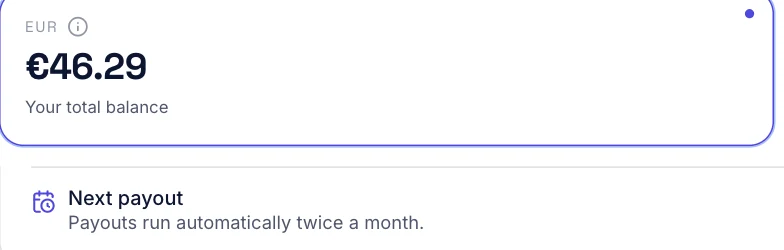
- Get paid and declare it. AgentaOS pays out to your own bank in EUR or USD, twice a month (N. Macedonia, Serbia, Pakistan). Income from abroad is yours to declare at home; ask a local accountant.
There is no direct AgentaOS integration with LearnWorlds today (checked against our facts, 13 November 2026). The webhook to Zapier step, or the API call, is yours to set up.
What do I lose with an external checkout?
LearnWorlds lists four limitations of external payment methods (LearnWorlds):
- Coupons. “You cannot use coupons or bulk coupons.”
- Affiliate system. “The built-in affiliate system cannot be used.”
- Invoices. “No invoices will be generated, thus no billing details.”
- Analytics. “It’s not possible to use Analytics integrations to track conversions.”
What AgentaOS covers, and what we cannot confirm:
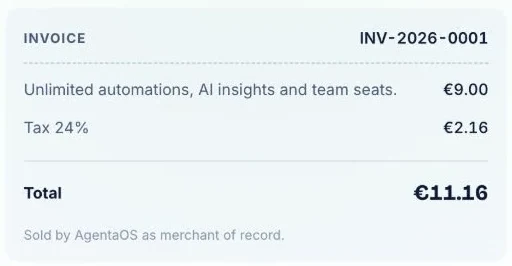
- Invoices and tax: covered. As merchant of record, AgentaOS is the legal seller for every sale and handles the buyer’s sales tax or VAT, invoices, refunds and chargebacks (facts, Terms, section 2). The buyer gets the invoice from AgentaOS, not from LearnWorlds.
- Coupons, affiliates and conversion tracking: not confirmed. Our facts page does not list discount codes, an affiliate program or analytics integrations, so we do not claim them here. If you rely on any of the three, check the AgentaOS docs or ask us before you switch.
- Enrolment: not automatic. LearnWorlds does not see the sale. You or your Zapier or API setup enrol each buyer.
Checklist: before you sell your course outside LearnWorlds’ checkout
- ✓Stripe, PayPal and Shopify checked for your country in LearnWorlds and on each provider’s page
- ✓A EUR or USD account at your bank
- ✓Course created as a product in AgentaOS, with a clear name and price
- ✓Custom button on your LearnWorlds page linked to the AgentaOS buyer link
- ✓No free or open enrolment left on the course
- ✓Enrolment plan: by hand, Zapier on Pro trainer or higher, or the API on Learning Center or higher
- ✓A plan for coupons and affiliates, since LearnWorlds’ built-in ones stop working
- ✓Your accountant told about income from abroad
When is AgentaOS the wrong choice?
- Stripe, PayPal or Shopify can pay you where you live.Use the built-in gateway: LearnWorlds enrols students and keeps coupons and affiliates working.
- You sell hundreds of seats a week and are on a plan without Zapier.Enrolling by hand will not keep up.
- Your launch depends on coupons and affiliates.LearnWorlds turns both off for external checkouts, and we do not confirm a replacement here.
- You need all the cash on day one.New accounts start with up to 15% of each sale set aside for 120 days, and a course paid now that starts later can have up to 100% held until delivery plus 120 days (Terms, section 9.2).
- You sell custom work scoped for each client.AgentaOS does not accept custom or per-client-scoped work, and coaching only as an approved Service Package (Terms, section 21). Courses are fine.
On a different course platform? Read Teachable payments not available, Thinkific or Podia payments not available or Systeme.io Stripe not available.
Where does AgentaOS fit?
If you sell courses on LearnWorlds and none of its built-in gateways can pay you, AgentaOS is the checkout behind your custom button. It is the merchant of record, the legal seller for every sale: buyers pay by card, AgentaOS handles the sales tax or VAT and the invoice, and you get paid to your own bank in EUR or USD in 86 countries, including N. Macedonia, Serbia and Pakistan. You can sell as an individual, with no company abroad (facts).
Related questions
Can I use LearnWorlds without Stripe?
Yes. LearnWorlds also supports PayPal and Shopify, but Shopify blocks the other built-in options. If none can pay you, link a custom button to an outside checkout, or use off-platform payments such as bank transfer, then enrol each buyer yourself.
What payment gateways does LearnWorlds support?
LearnWorlds says it supports Stripe, PayPal and Shopify. For any other gateway, you create custom buttons linked to that gateway’s external payment URL, then enrol buyers by hand, through Zapier, or through the LearnWorlds API.
Do LearnWorlds coupons work with an external checkout?
No. LearnWorlds’ limitations for external payment methods say you cannot use coupons or bulk coupons, and the built-in affiliate system cannot be used. LearnWorlds also generates no invoices for these sales; AgentaOS issues the invoice as the seller.
How do I enrol a buyer who paid outside LearnWorlds?
Enrol them by hand in the product they paid for. To automate, use the Zapier action “Enroll User in Product” on Pro trainer or higher, or the LearnWorlds API on Learning Center or higher. Bulk Enroll also needs Learning Center or higher.
Do I need a company to sell a LearnWorlds course from N. Macedonia?
Not with a merchant of record. AgentaOS accepts individuals and companies and pays out to your own bank in EUR or USD. Your own Stripe would need a company in a country Stripe supports.
Related
Sources: LearnWorlds, External payment methods (modified 12 Oct 2026, read 13 Nov 2026) · Stripe, global availability · AgentaOS facts · AgentaOS payment links · AgentaOS webhooks · AgentaOS Terms
General information, not financial, tax or legal advice. Ask a local accountant about your own registration.